Geoworks Software
Geoworks Software: A Deep Dive into a Niche Computing Pioneer
If you're interested in the history of personal computing, particularly the alternative operating environments that challenged Microsoft in the early days, you've likely stumbled upon Geoworks Software. This unique platform offered a graphical user interface (GUI) experience long before Windows truly stabilized, and it did so with incredible efficiency.
Many modern users are unaware that such powerful alternatives existed for low-end hardware. Geoworks wasn't just another competitor; it was a technological marvel designed to squeeze maximum performance out of minimal resources, setting it apart from resource-intensive rivals.
We're going to take a closer look at what made Geoworks special, where it succeeded, where it failed, and why it still holds a cherished place among vintage computing enthusiasts today.
What Exactly Was Geoworks Software?
Geoworks Software, initially developed by GeoWorks Corporation (and later under various names), was a graphical operating environment designed primarily to run on DOS. It first hit the market in the late 1980s and early 1990s as PC/GEOS, offering a desktop experience comparable to early Mac OS or even Windows 3.0, but with a drastically smaller footprint.
Unlike Windows, which often demanded significant RAM and a powerful processor for its time, Geoworks was famously efficient. It could run comfortably on an 8088 or 80286 processor, making it accessible to millions of users who couldn't afford top-tier hardware.
Its core appeal lay in its ability to offer true preemptive multitasking and scalable fonts on systems that Windows could barely handle. This efficiency was crucial for laptops and older home PCs.
The GeoWorks Environment: Features That Stood Out
The user interface of the GeoWorks environment was incredibly polished for its era. It utilized an object-oriented approach and offered two distinct modes: the "Beginner" mode, featuring large icons for new users, and the "Advanced" mode, known as the Preferences manager, which resembled a traditional desktop.
The design philosophy centered on maximizing productivity while minimizing system strain. This focus on optimization meant that applications loaded quickly and responded immediately, a stark contrast to some competing GUIs of the time.
Furthermore, GeoWorks pioneered several features that are standard today but were revolutionary then:
- Preemptive Multitasking: It allowed multiple applications to run simultaneously without one crashing the entire system, a feature Windows 3.x struggled with.
- Scalable Fonts: GeoWorks utilized TrueType-like technology, allowing users to scale fonts accurately for both screen display and printing, a major advantage for desktop publishing.
- Integrated Applications Suite: The core package included a comprehensive set of tools, providing immediate value to the user.
GeoWrite and GeoDraw: Productivity Powerhouses
The integrated suite that came with Geoworks Software was crucial to its success. Two applications, GeoWrite and GeoDraw, provided robust functionality that rivaled dedicated third-party software.
GeoWrite was a word processor that was surprisingly sophisticated, supporting various formatting options and the aforementioned scalable fonts. It enabled users on low-powered machines to produce professional-looking documents efficiently.
GeoDraw was equally impressive, offering vector graphics tools that were intuitive and fast. The tight integration between these applications allowed for easy data exchange and embedded graphics, which was a huge leap forward in early consumer computing.
The Rise and Fall: Why Did Geoworks Fade Away?
Despite its technical superiority in many respects, widespread adoption of Geoworks Software faced significant hurdles. The computing landscape of the 1990s was intensely competitive, and brand loyalty and marketing dollars often outweighed technical merit.
The initial retail performance was moderate, but the key to GeoWorks' survival relied heavily on licensing deals with hardware manufacturers. While they secured deals with companies like Tandy and Brother, they struggled to achieve the critical mass needed to sustain application development.
Ultimately, the main obstacle wasn't the quality of the product itself, but the overwhelming market momentum generated by the IBM PC standard and the dominance of Microsoft Windows.
Competition and Market Dynamics
When Geoworks launched, it was essentially fighting a two-front war. On one side was the established standard of pure DOS, loved by power users, and on the other was the burgeoning behemoth, Windows.
Windows benefitted from the vast existing installed base of DOS software. Users could run their favorite DOS games and applications seamlessly, while simultaneously experimenting with the GUI interface. Geoworks, however, required developers to port or rewrite applications specifically for its platform.
This lack of native application support—the "killer app" dilemma—was fatal. Developers naturally focused their resources on the platform with the largest market share, which was definitively Windows, especially after the release of Windows 3.1.
Attempts at Rebranding (NewDeal and Breadbox)
The story of Geoworks didn't end with its initial retail run. The company smartly pivoted, realizing the core technology (the GEOS kernel) was highly adaptable, particularly for embedded systems and niche markets.
In the mid-to-late 90s, the environment saw a revival under the name NewDeal Office. NewDeal targeted users who needed basic office productivity but couldn't afford or maintain a powerful, modern Windows machine. It found success in schools and developing markets.
Later still, the technology evolved into Breadbox Ensemble. Breadbox, still maintained by a dedicated group, continues to sell and support the operating system, demonstrating the enduring technical viability and utility of the original Geoworks Software architecture.
Geoworks Today: Legacy and Enthusiast Communities
Even decades later, the efficiency and elegance of the GeoWorks design attract a passionate group of vintage computer enthusiasts. They appreciate how much performance the software was able to extract from minimal hardware, which is a key lesson in efficient coding.
The legacy of Geoworks extends beyond desktops, too. Its mobile version, GEOS-SC, was licensed by Nokia and utilized in early smart messaging devices, proving the platform's ability to operate effectively in resource-constrained environments like mobile phones.
If you enjoy delving into alternative operating systems or appreciate historical computing milestones, exploring Geoworks is a rewarding experience. It offers a glimpse into a time when computing standards were still being defined.
Running GeoWorks on Modern Systems (Emulation)
Thinking about trying out Geoworks Software for yourself? Thankfully, you don't need to dig up an ancient 286 PC. Modern emulation tools make running this classic environment simple and accessible.
The most popular method involves using a DOS emulator. Since Geoworks was designed to run on top of DOS, emulating the underlying OS is the easiest path to success.
Here are the steps often used by enthusiasts to experience GeoWorks:
- Install a stable DOS emulator (like DOSBox or vDosPlus) on your modern machine (Windows, Mac, or Linux).
- Acquire a legitimate copy or disk image of PC/GEOS or a later derivative like Breadbox Ensemble.
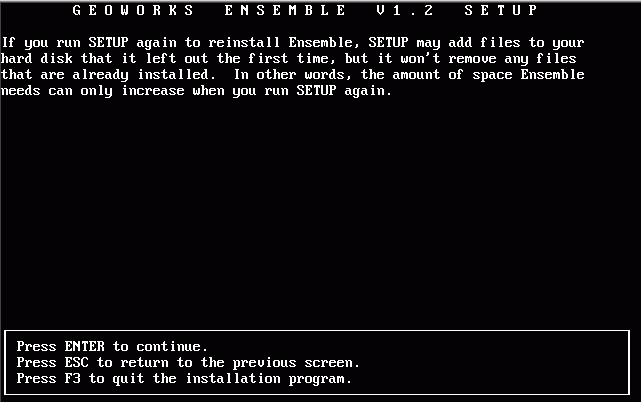
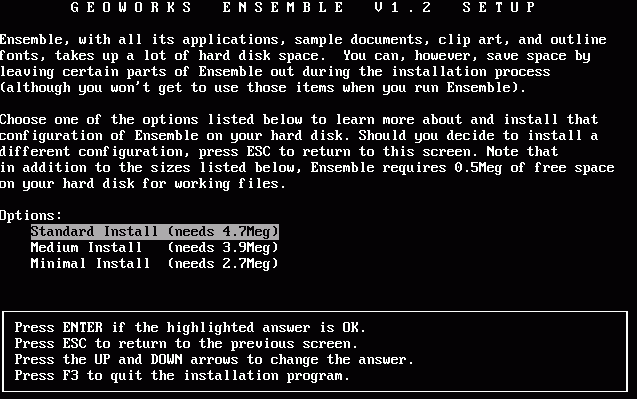
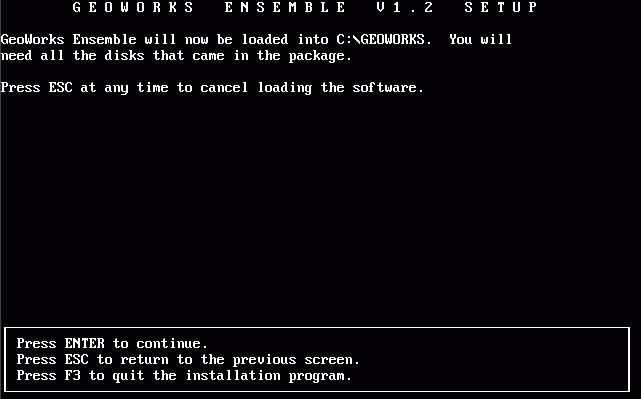
- Install the software within the emulated DOS environment.
- Configure the display settings within the emulator for optimal resolution, replicating the experience of the early 90s.
This approach lets you appreciate the speed and small footprint of the software without the hassle of maintaining old physical hardware. It's highly recommended for anyone curious about this graphical powerhouse.
Conclusion
Geoworks Software represents a fascinating chapter in computing history. It was an environment that technically outperformed its rivals in efficiency and multitasking, yet ultimately lost the market battle due to platform fragmentation and the sheer marketing force of Windows.
However, its legacy lives on. Its design principles—particularly the focus on lightweight operation and robust integrated applications—have influenced subsequent generations of software. Whether you explore the original PC/GEOS or its modern successor, Breadbox Ensemble, you'll quickly discover why this niche operating environment is fondly remembered by those who experienced its speed and polish firsthand.
Frequently Asked Questions (FAQ) About Geoworks Software
- What is the difference between PC/GEOS and Geoworks Software?
- PC/GEOS was the original name for the operating environment developed by GeoWorks Corporation. "Geoworks Software" generally refers to the entire family of products, including the original PC/GEOS, GeoWorks Ensemble, NewDeal Office, and Breadbox Ensemble.
- Is Geoworks still being developed today?
- While the original GeoWorks Corporation transitioned away from the consumer desktop market, the core technology is maintained and sold today under the name Breadbox Ensemble, which is aimed at embedded systems and niche retro computing users.
- Did Geoworks ever run on anything other than DOS?
- Yes. While PC/GEOS ran on top of DOS, the GEOS technology was adapted for various embedded systems, notably in mobile phones (GEOS-SC for Nokia devices) and PDA-like devices, showcasing its versatility and efficiency.
- Why was Geoworks considered faster than early Windows?
- Geoworks was designed from the ground up to be memory and processor efficient. It utilized true preemptive multitasking and highly optimized code, allowing it to perform complex tasks smoothly on hardware that struggled running Windows 3.0 or 3.1.
Geoworks Software
Geoworks Software Wallpapers
Collection of geoworks software wallpapers for your desktop and mobile devices.

Artistic Geoworks Software Artwork Digital Art
Find inspiration with this unique geoworks software illustration, crafted to provide a fresh look for your background.
Mesmerizing Geoworks Software Capture Collection
Discover an amazing geoworks software background image, ideal for personalizing your devices with vibrant colors and intricate designs.

Gorgeous Geoworks Software Picture for Desktop
Immerse yourself in the stunning details of this beautiful geoworks software wallpaper, designed for a captivating visual experience.

Dynamic Geoworks Software View in 4K
A captivating geoworks software scene that brings tranquility and beauty to any device.

Gorgeous Geoworks Software Artwork for Desktop
Find inspiration with this unique geoworks software illustration, crafted to provide a fresh look for your background.

Vivid Geoworks Software Wallpaper Illustration
Transform your screen with this vivid geoworks software artwork, a true masterpiece of digital design.
Lush Geoworks Software Photo for Desktop
This gorgeous geoworks software photo offers a breathtaking view, making it a perfect choice for your next wallpaper.
Vivid Geoworks Software Photo Collection
Transform your screen with this vivid geoworks software artwork, a true masterpiece of digital design.

Spectacular Geoworks Software Background in 4K
This gorgeous geoworks software photo offers a breathtaking view, making it a perfect choice for your next wallpaper.
Captivating Geoworks Software Artwork Collection
A captivating geoworks software scene that brings tranquility and beauty to any device.

Exquisite Geoworks Software Moment Illustration
Find inspiration with this unique geoworks software illustration, crafted to provide a fresh look for your background.

Mesmerizing Geoworks Software Abstract Nature
Discover an amazing geoworks software background image, ideal for personalizing your devices with vibrant colors and intricate designs.
Dynamic Geoworks Software Moment Art
Find inspiration with this unique geoworks software illustration, crafted to provide a fresh look for your background.
Spectacular Geoworks Software Image Nature
Find inspiration with this unique geoworks software illustration, crafted to provide a fresh look for your background.
Lush Geoworks Software Image Nature
A captivating geoworks software scene that brings tranquility and beauty to any device.
Captivating Geoworks Software Design Nature
A captivating geoworks software scene that brings tranquility and beauty to any device.

Beautiful Geoworks Software Image Illustration
Explore this high-quality geoworks software image, perfect for enhancing your desktop or mobile wallpaper.

Serene Geoworks Software Moment Art
Discover an amazing geoworks software background image, ideal for personalizing your devices with vibrant colors and intricate designs.

Lush Geoworks Software View Art
Immerse yourself in the stunning details of this beautiful geoworks software wallpaper, designed for a captivating visual experience.

Dynamic Geoworks Software Picture for Your Screen
Find inspiration with this unique geoworks software illustration, crafted to provide a fresh look for your background.
Download these geoworks software wallpapers for free and use them on your desktop or mobile devices.
0 Response to "Geoworks Software"
Post a Comment