Dante Software
Dante Software: The Ultimate Guide to Audio Networking Magic
If you work in professional audio—whether you're running live sound, managing a huge broadcast facility, or building a state-of-the-art studio—you've likely heard murmurs about "Dante." But what exactly is Dante Software, and why is it constantly hailed as the gold standard for modern audio routing? Simply put, Dante is the engine that drives Audio over IP (AoIP), transforming your complex analog wiring into simple, efficient network connections.
Forget the days of tangled XLR cables, ground loops, and signal interference. Dante promises pristine, low-latency audio transmission across standard IP networks. This guide is designed to walk you through the essentials, showing you exactly how Dante Software works and how you can harness its power to revolutionize your setup, whether you're a seasoned engineer or just starting out.
Ready to unplug the spaghetti and plug into the future? Let's dive in!
What Exactly is Dante Software and How Does it Work?
At its core, Dante (developed by Audinate) is a combination of hardware components and proprietary Dante Software protocols that allow uncompressed, multi-channel digital audio to be transmitted over a standard Ethernet network. Think of it as HDMI for audio, but scalable to hundreds of channels.
It operates by encapsulating digital audio data into IP packets, much like the data your computer sends when browsing the internet. However, Dante manages this process with incredibly precise synchronization and extremely low latency, making it suitable for demanding real-time applications like live concerts and broadcasting.
The magic of Dante Software lies in its intelligence. Unlike older analog systems or less sophisticated digital protocols, Dante automatically discovers devices on the network. This means you don't need complicated IP configuration for every piece of gear—you just plug in, name your device, and route the audio using simple software interfaces.
The Trio of Dante Technology
To achieve seamless integration, Dante relies on three fundamental pillars:
1. Clock Synchronization: All devices on a Dante network must operate from a single, master timing clock. Dante achieves this using high-precision PTP (Precision Time Protocol) to ensure every audio sample arrives exactly when it should, preventing pops, clicks, and phase issues.
2. Low Latency: Latency is the delay between sound going into a microphone and coming out of a speaker. In professional environments, latency must be nearly instantaneous. Dante networks typically achieve latency as low as 0.15 milliseconds, which is virtually imperceptible to the human ear.
3. Automatic Device Discovery: This feature is a massive time saver. When you plug a Dante-enabled device into your network switch, Dante Software instantly recognizes it and displays it in the control application, ready for patching.
Why Dante is Revolutionizing Pro Audio
Adopting Dante isn't just about using new technology; it's about simplifying workflow, saving money, and dramatically increasing flexibility. Major manufacturers like Yamaha, Shure, and QSC have embraced Dante, making cross-compatibility effortless. Here are the core benefits you'll experience:
- Reduced Cabling Complexity: A single CAT5e or CAT6 cable can carry up to 512 channels of audio (depending on bandwidth), replacing dozens of heavy, expensive analog multicore cables.
- Unmatched Flexibility and Routing: Audio routing becomes a software task rather than a physical wiring job. You can route any signal from any device to any other device on the network in seconds.
- Cost Savings: While initial hardware investment might seem high, the long-term savings in cable costs, installation labor, and the reduced need for dedicated audio infrastructure are substantial.
- Superior Audio Quality: Since Dante transmits audio digitally from the source to the destination, noise interference, hums, and ground loops—common enemies of analog systems—are virtually eliminated.
- Scalability: Need 16 channels today and 128 channels tomorrow? Just add another network switch and more Dante-enabled devices. The system scales easily without requiring a complete overhaul.
Key Components of the Dante Ecosystem
The entire Dante infrastructure relies on three core pieces of Dante Software and utility programs that manage the network traffic and audio routing. Understanding these tools is crucial for anyone managing a Dante system.
Dante Controller: The Command Center
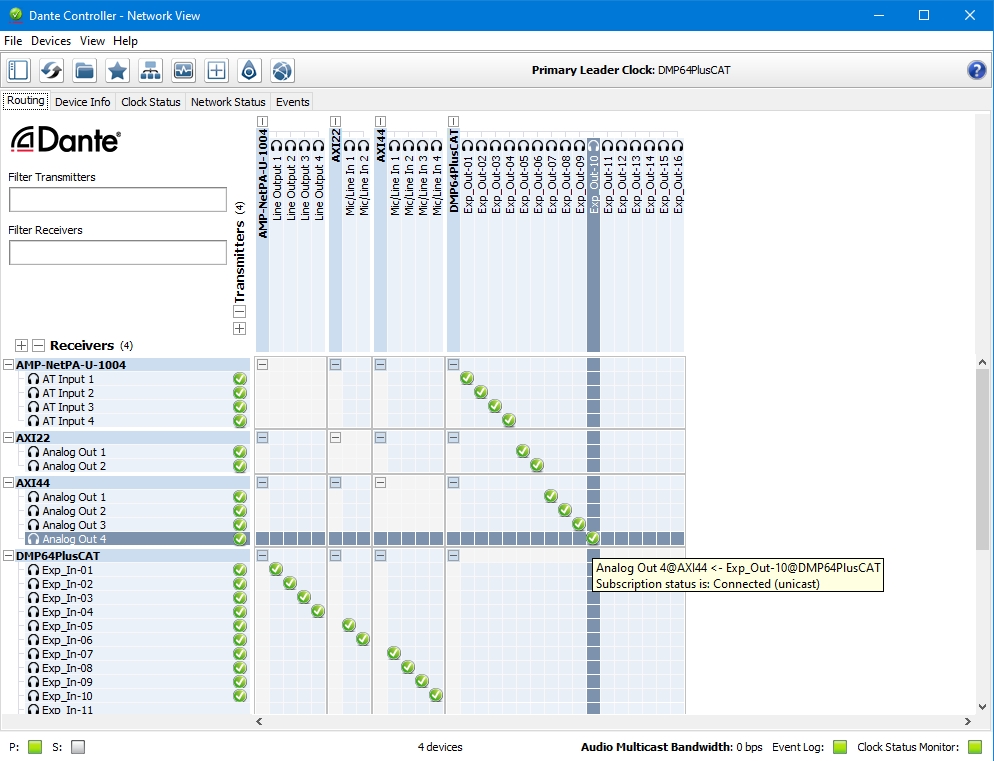
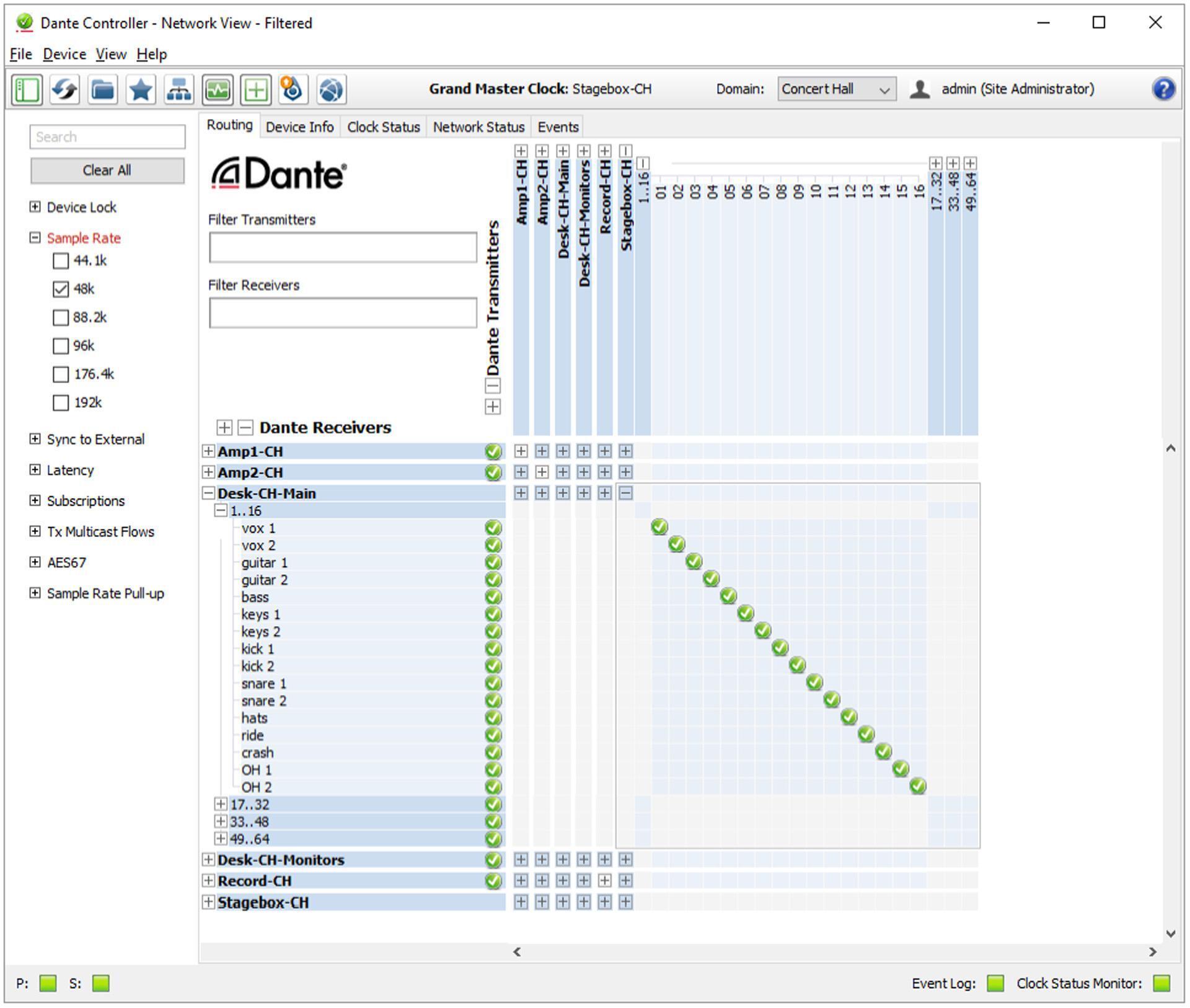
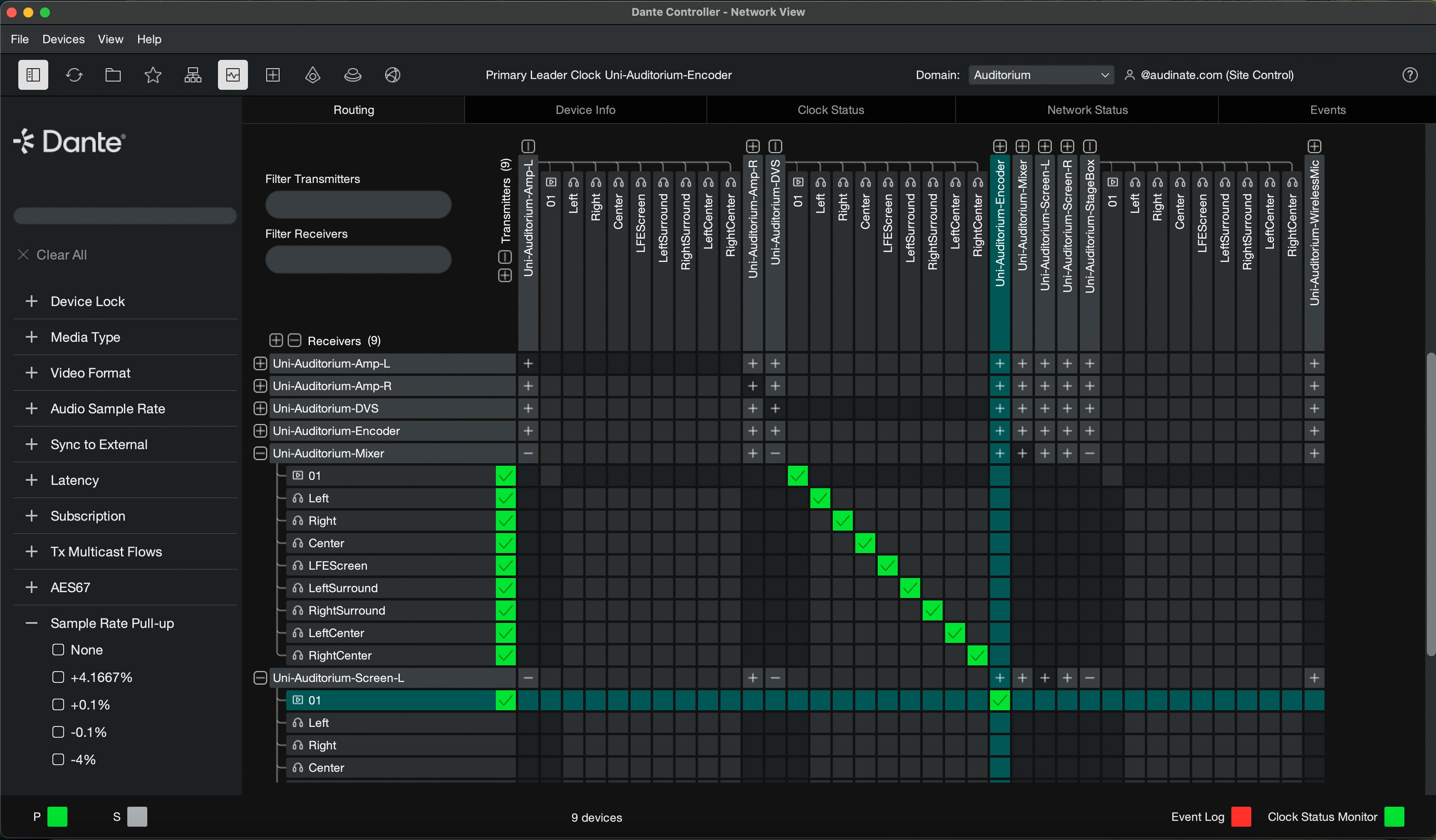
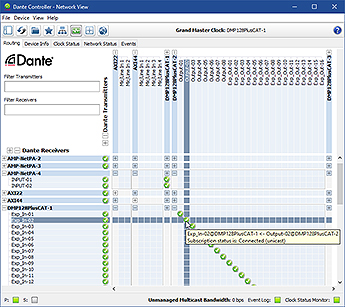
Dante Controller is the essential, free Dante Software application used to manage your network. It runs on Windows and Mac and is where all the routing magic happens. When you open Controller, it displays every Dante device currently active on the network.
Using a simple matrix view, you can click to patch audio from one device's output to another device's input. For instance, you can route the output of Microphone 1 on a Shure ULXD receiver to Input 17 on a Yamaha CL5 mixing console, all with a single mouse click.
Dante Virtual Soundcard (DVS)
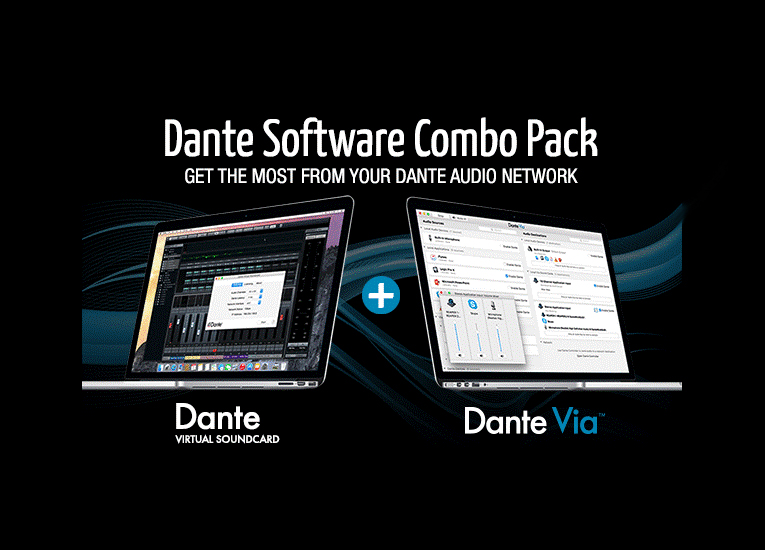
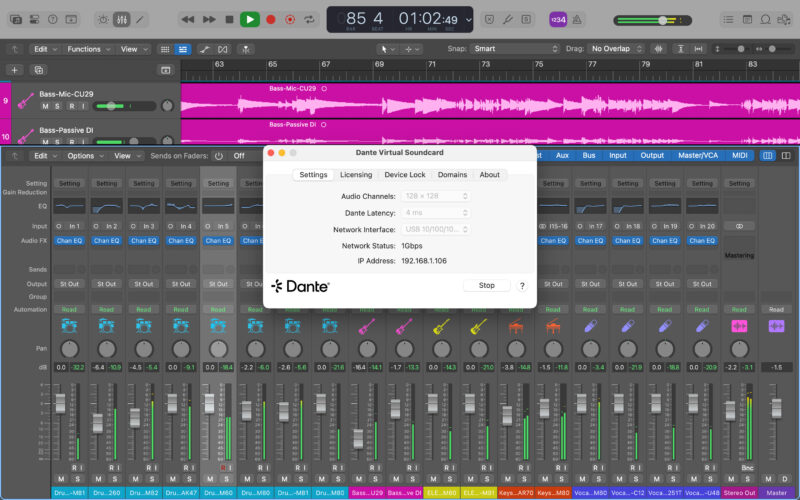
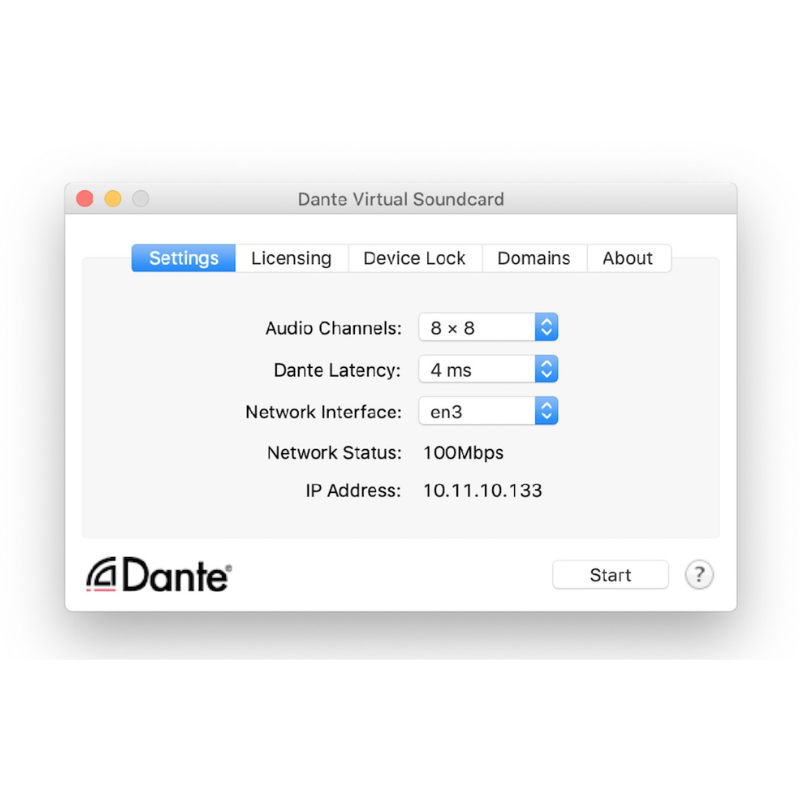
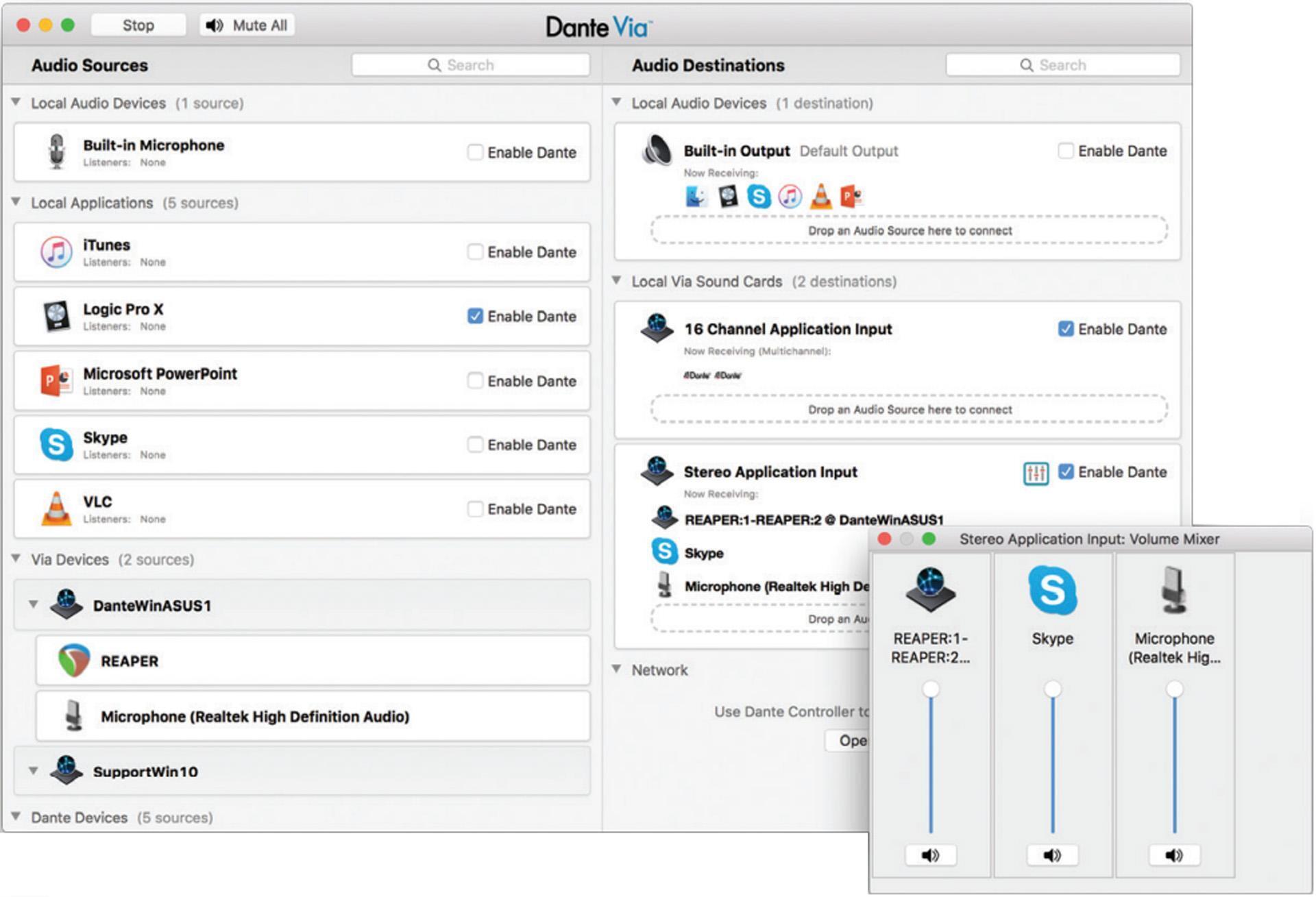
DVS is paid Dante Software that turns your standard computer (PC or Mac) into a Dante-enabled device. It allows your computer's Ethernet port to function as a multichannel audio interface.
This is indispensable for recording and playback. You can route 64 channels of live audio directly into Pro Tools or Logic Pro X for recording, or use your computer to play back tracks through the Dante network. It completely eliminates the need for bulky external audio interfaces in many professional setups.
Dante Domain Manager (DDM)
For large-scale, enterprise networks (like universities, stadiums, or corporate campuses), security and scale become major concerns. DDM is advanced server-based Dante Software that addresses these needs by grouping devices into "domains."
DDM provides essential features such as user authentication (who can change routing), role-based security (limiting access), and network management across multiple subnets. If your network spans different buildings or requires strict access control, DDM is a must-have tool for robust network governance.
Setting Up Your First Dante Network: Simple Steps
Getting started with Dante Software is much easier than configuring complex IP addresses or subnet masks. As long as you follow a few basic rules, your network will be up and running smoothly.
Essential Hardware Requirements
While Dante runs on standard networking gear, performance dictates using quality components. You need:
- Dante-Enabled Devices: Microphones, mixers, amplifiers, and interfaces that have built-in Dante ports.
- Managed Gigabit Switch: This is arguably the most critical component. While Dante can work on unmanaged switches for small networks, Audinate strongly recommends managed switches that support QoS (Quality of Service). QoS prioritizes time-sensitive audio packets over regular data traffic.
- CAT5e or CAT6 Cables: High-quality, shielded Ethernet cables are essential for reliable, long-distance transmission.
Step-by-Step Configuration using Dante Software
Once your hardware is physically connected, follow these steps:
1. Initial Device Naming
Launch Dante Controller Dante Software on your computer. All connected devices should appear immediately. Go into the Device View for each piece of gear and assign it a clear, descriptive name (e.g., "StageLeftMicPre," "FOHMixer"). This makes routing much easier later.
2. Clock Master Selection
Dante usually auto-selects the clock master, but for robust systems, it's best practice to manually designate a reliable device (like your main mixer or a dedicated clock device) as the preferred clock master within the Dante Software Controller.
3. Setting Latency and Sample Rate
All devices must operate at the same sample rate (e.g., 48kHz). Verify and synchronize this in the Controller. You can also adjust the latency settings. Start with 1ms latency for reliability; you can drop it to 0.5ms or lower if your network infrastructure is robust.
4. Establishing Routes (Subscribing)
In the routing matrix, signals flow from the transmitters (rows, or "Tx") to the receivers (columns, or "Rx"). Click the intersection point between a desired source channel and a destination channel. A green checkmark confirms the connection, and your audio is now flowing digitally across the network!
Conclusion
The rise of Audio over IP, spearheaded by Dante Software, is more than just a passing trend—it is the foundational standard for professional audio in the 21st century. By eliminating massive analog bundles and simplifying complex routing into a clean, software-based matrix, Dante allows engineers to focus on sound quality and creativity, rather than troubleshooting cable runs.
Whether you integrate the free Dante Controller, license the handy Dante Virtual Soundcard, or utilize the powerful security features of Dante Domain Manager, understanding and leveraging Dante Software will be key to future-proofing your audio infrastructure. Take the plunge; your cable management (and your ears) will thank you.
Frequently Asked Questions (FAQ) about Dante Software
- What is the difference between Dante and AVB?
- Dante is a proprietary technology developed by Audinate that runs on standard Ethernet networks and requires specific Dante hardware/software licensing. AVB (Audio Video Bridging) is an IEEE standard requiring specialized, time-aware switches. Dante currently has far wider industry adoption due to its flexibility with existing network infrastructure.
- Is Dante Software free to use?
- The primary routing tool, Dante Controller, is free to download and use. However, most Dante-enabled hardware requires embedded licensing, and auxiliary software like Dante Virtual Soundcard (DVS) and Dante Domain Manager (DDM) require separate purchases.
- Can I run Dante on a Wi-Fi network?
- No. Dante requires the precision and guaranteed bandwidth of a hard-wired, switched Ethernet connection. While you could technically transmit *control* data over Wi-Fi, the real-time, low-latency audio transmission demanded by Dante must use physical network cables to maintain synchronization and reliability.
- What is the maximum number of channels Dante can handle?
- A standard gigabit Ethernet link can handle up to 512x512 channels (at 48 kHz/24-bit). The limiting factor is usually the processing power of the individual Dante devices and the overall network bandwidth, but the protocol itself is immensely scalable.
- Do I need special switches for Dante?
- While Dante can function on unmanaged switches for basic setups, Audinate highly recommends using managed, gigabit Ethernet switches with Quality of Service (QoS) capability. This allows you to prioritize audio traffic, ensuring stable, drop-out-free performance, especially under heavy network load.
Dante Software
Dante Software Wallpapers
Collection of dante software wallpapers for your desktop and mobile devices.
Vibrant Dante Software Moment Art
Experience the crisp clarity of this stunning dante software image, available in high resolution for all your screens.
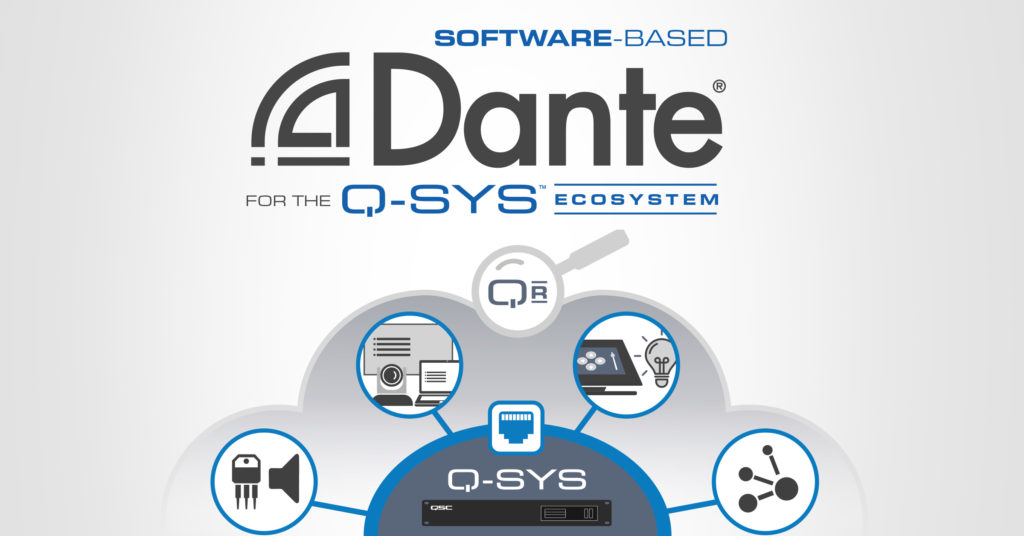
Lush Dante Software Wallpaper Nature
A captivating dante software scene that brings tranquility and beauty to any device.
Detailed Dante Software Photo for Mobile
Discover an amazing dante software background image, ideal for personalizing your devices with vibrant colors and intricate designs.
Lush Dante Software Abstract Collection
A captivating dante software scene that brings tranquility and beauty to any device.
Amazing Dante Software Background Collection
Transform your screen with this vivid dante software artwork, a true masterpiece of digital design.
Amazing Dante Software Wallpaper in HD
Transform your screen with this vivid dante software artwork, a true masterpiece of digital design.
Captivating Dante Software Moment in HD
Find inspiration with this unique dante software illustration, crafted to provide a fresh look for your background.
Mesmerizing Dante Software Landscape Illustration
Experience the crisp clarity of this stunning dante software image, available in high resolution for all your screens.

Crisp Dante Software Scene for Your Screen
Immerse yourself in the stunning details of this beautiful dante software wallpaper, designed for a captivating visual experience.
Stunning Dante Software View Concept
Immerse yourself in the stunning details of this beautiful dante software wallpaper, designed for a captivating visual experience.
Amazing Dante Software Picture Digital Art
Experience the crisp clarity of this stunning dante software image, available in high resolution for all your screens.

Artistic Dante Software Scene for Desktop
A captivating dante software scene that brings tranquility and beauty to any device.
Serene Dante Software Wallpaper for Mobile
Discover an amazing dante software background image, ideal for personalizing your devices with vibrant colors and intricate designs.

Beautiful Dante Software Abstract in 4K
Experience the crisp clarity of this stunning dante software image, available in high resolution for all your screens.

Serene Dante Software Design Digital Art
Experience the crisp clarity of this stunning dante software image, available in high resolution for all your screens.

Spectacular Dante Software Wallpaper Photography
A captivating dante software scene that brings tranquility and beauty to any device.
Stunning Dante Software Background Collection
A captivating dante software scene that brings tranquility and beauty to any device.
Detailed Dante Software Abstract in HD
Explore this high-quality dante software image, perfect for enhancing your desktop or mobile wallpaper.
Vibrant Dante Software Scene Nature
Discover an amazing dante software background image, ideal for personalizing your devices with vibrant colors and intricate designs.

0 Response to "Dante Software"
Post a Comment